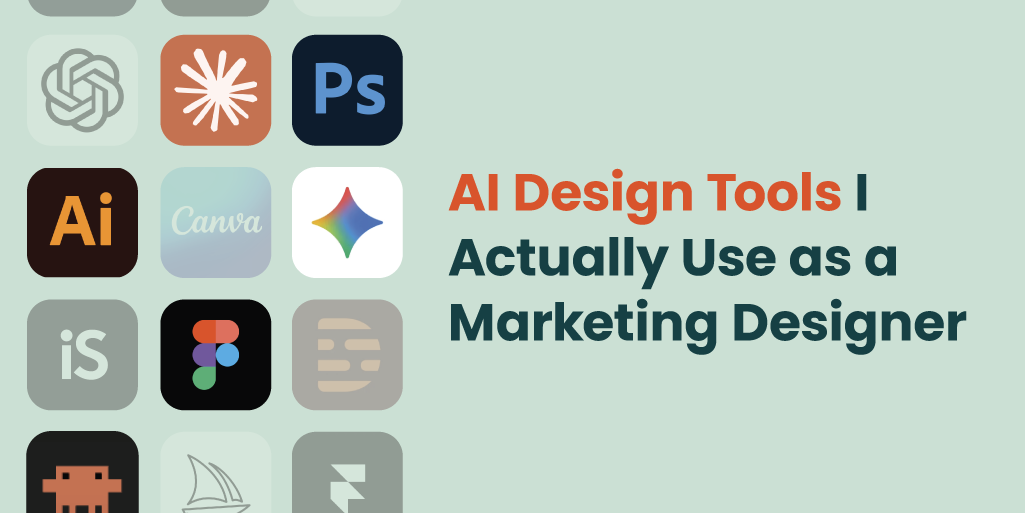
As a designer at a marketing agency, I wear a lot of hats. Strategy, production, web, video, social, brand. It all lands on my desk. What AI has given me isn’t a replacement for any of that. It’s a roster of specialists I can call on depending on the job. Some do exactly what they claim. Some are better on paper than in practice. Some stay on speed dial. Some I’ve stopped calling.
This blog is meant to serve as an AI design tools review, creating a lineup of the best tools I use, assembled from months of actually putting these tools to work. Think of it more as a lineup card: who starts, who comes off the bench, and who doesn’t make the roster.
The Starting Five

Claude
Every good team needs someone who sees the whole picture, a coach so to speak. Claude is mine. I’m not using it to generate finished creative or produce final copy. I’m using it to think. When a brief isn’t clicking, a layout feels off but I can’t name why, or I need to pressure-test a direction before committing to it, Claude is the first thing I open. It forces you to articulate the problem clearly, which often reveals the answer faster than staring at a blank canvas. And Claude doesn’t have an ego about being wrong. What we work out together usually becomes the brief I hand to Claude Code. One tool setting up the next.
But Claude has one big limitation, it has no taste. It will brainstorm in any direction you point it, but it has no feel for what’s right versus what’s merely coherent. You have to bring that entirely yourself, and you can’t really teach good taste to anyone, let alone AI.

Claude Code
If Claude calls the plays, Claude Code runs them like a veteran quarterback. I use it to actually build web designs (layouts, interactions, quick prototypes, even plugins) without needing a developer. It closes the gap between “I know what this should look like” and “it now exists.” That gap used to mean waiting on someone else, or spending hours in a tool I only half-knew.
The catch: Claude Code doesn’t know your brand system well, your codebase, or your constraints. You have to hold all of that and translate it into prompts. The spacing decisions, the type hierarchy, the proportion: still yours. It builds what you describe. You still have to know what to describe.

Figma
This is where most of the actual work happens. Figma is my primary design environment for everything: brand work, templates, web layouts, presentations, social graphics, wireframes, client mockups. If Claude and Claude Code are the thinking and the building, Figma is where the design lives. What I value most is the level of control: every spacing decision, every type choice, every component is intentional. AI has made its way into Figma (auto-rename layers, copy generation, component search) but those features are modest. Figma is becoming a must-have AI design tool because it gives me precision over every decision, and brand work requires that.
Adobe Illustrator
Figma and Illustrator go hand in hand for most of what I do as a designer. Figma handles digital design; Illustrator handles the vector work, brand asset creation, logo refinements, and anything that needs to be production-ready and truly scalable. It shows up every day, does serious work, and doesn’t need to announce it. The AI features are minimal however, and feel half-baked.

Gemini
When I need image generation, Gemini is where I start. The visual output has a different sensibility than Midjourney, and for certain subjects it handles things more cleanly for my work. It’s not in every play, but when I need it, it delivers more consistently than anything else I’ve tested here. Any image generation tool hits the same wall: consistency across a set is hard, and the further you push into iteration, the more likely you are to lose what you originally liked. Gemini handles that better than most. When I’m not fully trusting what Claude is telling me, I run the same question through Gemini. A second opinion from a different model is rarely a bad idea.
The Bench
Photoshop: Comes off the bench for one specific job: removing things from photos. Objects, backgrounds, distractions. Generative Fill and Remove works fast, usually gets it right. Not in every game, but when it’s needed, nothing else does it as well.
Descript: Smart about video editing:transcript-driven editing, noise removal, filler word cleanup. I really like using their AI tool to create transitions and animations, much easier than the frame-by-frame work of other tools. The learning curve upfront is real, but once you’re in it, it moves faster. Video isn’t every day for me, but when there’s a video project, it earns its time.
ChatGPT: The backup. Same general territory as Claude, just not my starter. Useful when I want a second read from a different model. Everyone already knows it, which has its own value.
iStock: A well-curated image library still beats generated imagery for most client-facing work. Licensed, real, consistent. But their image generation is doing well. I’ve found it works for simple photo generation when you’re ok with a stock-image style.
Midjourney: Raw talent, still finding its consistency. The first round of options is often interesting. Good for unlocking a visual direction you hadn’t considered. After that, iteration gets punishing. Every edit risks losing what you liked about the original. The further you push it, the more ground you lose.
Canva: Useful for keeping non-designers in the game. Quick assets, easy handoff with people who don’t live in Figma. And a good presentation tool to have in your toolbox. It knows what it is and doesn’t pretend otherwise.
Trying to Make the Team
These are AI design tools I’ve spent time with but haven’t committed to yet. Still warming up, not quite ready to start. Either I haven’t used them enough to pass judgment, or the use case hasn’t come up consistently enough to earn a regular spot.
Claude Design: Claude’s design tool promises a lot and I haven’t found it delivers yet. Like mentioned previously, Claude has a style and it’s hard to get it to move away from that. I also haven’t found that it iterates well and that I’m better off starting over instead of asking for edits. That being said, I have used it to give me web page layout options which can save me some brainpower, allowing me to jump into our CMS with a quick plan.
Gamma: Impressive for polished presentations and creative docs, and fast. Harder to keep on-brand. The AI makes aesthetic decisions you can’t always override. Better for projects where you have creative latitude than ones where brand guidelines are strict.
Opus Clip: AI short-form clip discovery from longer video. Smart about finding moments, solid at generating captions. Still figuring out where it fits in my workflow.
Runway: AI video generation for B-roll, abstract motion, concept video without a camera. Interesting outputs. Still working on controlling them precisely.
Firefly: Adobe’s AI image generation, native to the ecosystem. The integration with Photoshop and Illustrator is where the real potential is. The aesthetic skews realistic stock over conceptual, which is sometimes exactly right.
Framer: AI website building with real design control. Different enough from Claude Code to warrant testing as a standalone. Still evaluating.
Lovable: Claude Code and it can host for you. Love it but haven’t used it enough. Others on the team use this heavily.
Kling: AI video generation gaining traction. High-quality outputs. On my radar, not yet in rotation.
What I’m Looking at Next
The thing I’m most actively exploring is integrating AI directly into our CMS. We’re on WordPress, and the potential for using AI to speed up site building, content updates, and production work is there, but so is the complexity of getting it right. Dropping a standalone tool into a workflow is one thing. Getting AI to work within a specific site architecture, honor a brand system, and respect how content is actually structured is a different problem. Getting AI to work with both at once is what I’m trying to figure out.
The Closer
The best AI design tools work better together than alone. Claude helps me think something through, and that conversation usually becomes the brief I hand to Claude Code. When I don’t trust what one model tells me, I check it against another. Figma and Illustrator split digital and vector work without me having to think about the split. None of these tools is solving the whole problem on its own, but they’re covering for each other’s gaps, which is really the only way this setup works.
AI has raised the floor of what a designer can produce. It hasn’t touched the ceiling. Knowing which tool to reach for, and when to set all of them down and just make the decision yourself, is still the job.
About the Author

Meghan Jordan is a Senior Designer with a strong tech background. At Firebrand, she handles projects from web design and UI to social and content assets. Before this, she worked in design and marketing at a global event agency, producing digital and print assets for tech clients.